
|
problems with the crafting window?
With the latest update installed via the updater something got messed up with the crafting window. When it is in double pane mode it doesn't show to recipe requirements on the right anymore when you click the recipe. If you create one it shows the incredients. If you double click a recipe when one isn't showing anything it shows the recipe but double clicking on another doesn't change the recipe displayed.
|
not sure if my problem is the same as your problem or not... but it is related to the crafting window...
here is what is happeneing... when first logging in, and opening the crafting window, i select a recipe. I hit select, which would attempt to open up the second pane with the ingredients. instead, it is overlayed on top of the recipies. two panes overlayed on one. the way i have found to work around this is to toggle double pane to single pane. that clears up the window and i do not have the issue any more until i camp. i have NOT tried this on other crafters on that account or on my other account. I could send a screen shot if it will help diagnose. |
Hmm, first I hear of either of this, will have to do some testing when I have time. Screenshots are always helpful.
|
My tradeskill window is also doing what Ethion is describing. Looks fine at first, but I go to create and it's like 2 panes overlaying each other. Still works ok, but hard on the eyes. Don't have a screenshot, but will try to get one.
Dokie |
I noticed the same issue also...opened and closed single pane and double pane and it seems to be ok now. Will try and get a screen though to show what the issue is.
|
Problem with crafting window - screenshots
First Screen -
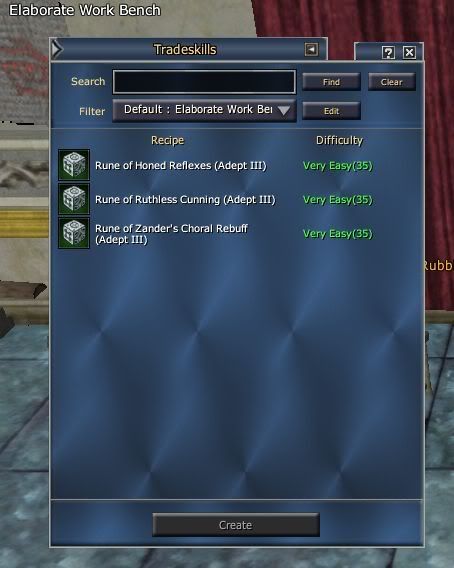 Selected Unfiltered - 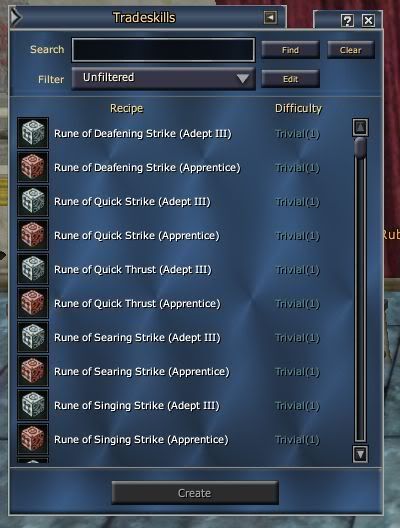 Select Recipe - 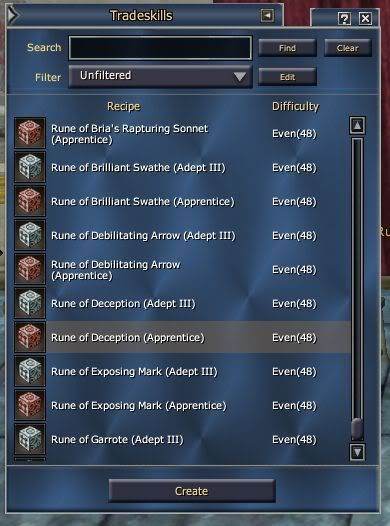 Clicked Create - 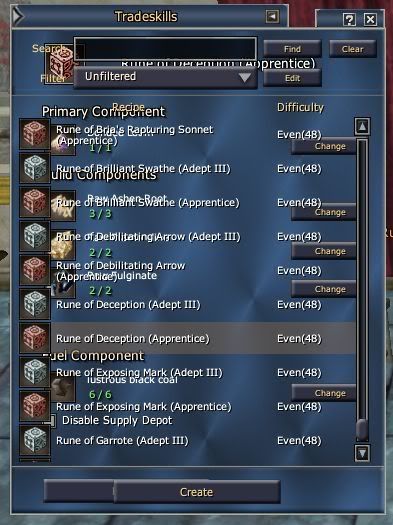 Clicked the expand collapse to clear it - 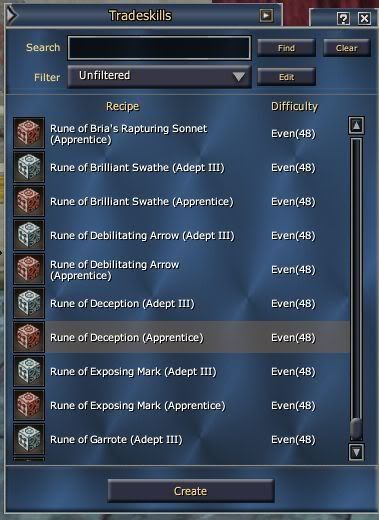 |
Yes, that is exactly the screen I was talking about. toggleing double pane back to single pane cures it for this session. Once I log out and log back in again the problem returns.
|
Something I noticed in reviewing the screen shots is that the "expand" button is pointing the wrong direction until after the jumbled screen comes on and the expand/collapse action is activated to clear the display issue. And yes I noticed the same thing that you did... that this only happens on first boot of the crafting window upon login - if I logout of game and back in, the problem recurs.
|
Thanks guys I'll look into it.
|
1 Attachment(s)
Can one of you with the issue please post their character's uisettings.ini file for me please? I tried to reproduce the steps laid out in the screenshots above in all possible window settings and never ran into the issue. So I'd like to try with the settings you are working with.
In the meantime as a shot in the dark you may want to try the attached version of the window and let me know if that changes anything. The windowsettings modes are changed, you need to toggle them once and set them to "None" now for single pane mode. |
Quote:
|
Thanks sorinth for sending me your uisettings.ini file. Using it I can reproduce the issue, which means that it is some setting in that file causing the issue.
To fix it permanently, all I had to do was go into window settings and toggle it back and forth once. Go try that and let me know if it helped. |
fixed it this way
I went into window settings and clicked 'default location' .. it opened up the complete double pane window ... haven't had problem since .. and can of course drag it to where ever I want
|
Quote:
|
Confirmed. That did fix it. Unfortunately, I can not tell what is different in the uisettings.ini file.
|
Quote:
|
Quote:
|
if you read up, you will find the fix. However, so you dont have to look for it, here it is.
I confirmed this on 2 different accounts, and it is a permanent fix. Quote:
|
Thanks for the workaround, I installed Profit yesterday, and I've run into this problem as well. I will note that I loaded the default ProfitUI profile for my screen resolution, so it should not have been due to some odd setting from my old configuration (unless there are settings that don't get blanked when you do that). Maybe I clicked the wrong "close" button or something after opening the window?
Thanks for the hard work on this UI, gm, it's a major improvement as far as this new player is concerned. :) |
| All times are GMT -5. The time now is 06:40 AM. |
vBulletin® - Copyright ©2000 - 2026, Jelsoft Enterprises Ltd.
© MMOUI