
|
Not sure how this program works, but sounds like either you need to install the updated manual POIFinder first or - if all files are handled by the updater - like jnils needs to provide an updated plugin_7.xml.
|
Quote:
|
Quote:
May be your UI thats do somthing to it. Do the same happend if you use Treemos original files ? |
Quote:
|
Quote:
You can attach your eq2ui_custom.xml file here so i can have a look at it. |
Well I just tried your updater for the first time to see what's up and as you said there are no differences to the files in the manual install. Works just fine for me. Those having problems should probably read the red line in my sig - that's universal truth for all mods. :)
|
Read the red line and tried uninstalling the stuff. I am confused though, The Treemoss thing works good with the exception of not having updates for Rok.
I am probably doing something wrong and something simple to fix but can't find it. This is what I get first I get a message saying: Can't find eq2ui_custom_poifinder entry in eq2ui_mainhud.xml file,create one? Then I get an error box Can't create entry: Index was out of range. Must be non-negative and less than size of the collection. Parameter name: startIndex Would really love to get this thing working. |
Are you using the updater version from the first post of this thread (jnils, go put this up as a real download already! ;))?
|
Quote:
As i can't chow the custom file looks like. You can go to treemos download section and look at his install instructions, the part with the custom file :) I realy need to go through all the UI's and look how the custom file looks like Quote:
|
Quote:
|
Quote:
Now the program searches for a </page> entry, but i know that a custom.xml file from default contains none. Im not sure what to look for that is a fixed point in this file yet. |
Quote:
Yes I am using the zip in the first thread, and yes I have followed the Treemoss instructions and POI finder works great until I try to install the updater. I am using Fettish Nightfall as a custom UI with a few addons such as Penta type Maintained spells and a custom target ring. I do appreciate that you are working on it, I don't know a thing about coding. |
Quote:
Thats why the program fails :( You can try to delete eq2ui_custom.xml file from fetish UI folder. |
Quote:
There isn't any fixed point in this file anymore. It's all custom stuff from UI mods, so anything could be there. Best bet is the end of the XML block, ie. if the poifinder include isn't there then add it just before the </Page> tag. But watch out: the ProfitUI custom.xml for instance has a <Namespace> tag after the </Page> tag (not technically legal XML, but the way EQ2 processes the files it works). |
Thanx, ill try again :)
|
Quote:
I got rid of the custom UI xml file and that allowed it to do the update.. Many thanks!!! I am very happy its working now. I get the black box with no scrollbar, but its something I think I can fix and it does show the POI's.... Love the updater! |
Black POI finder window.
The easiest fix I found for the black POI Finder with no scrollbar was to use the custom_example.xml page included in the POI finder manual install package. Once I put it in place, all of my problems went away. I tried what I thought would be a simpler fix and edited my custom.xml file with Dreamweaver, and the results were not so good...
I don't think EQ2 likes dreamweaver so well... |
Aye, notepad would probably be the better way to go in that case ;)
|
Ill have a fix for this coming up :) , just not the time :(
|
Ok i was having trouble so i deleted all and repatched. I added everythign 1 at a time and loaded in and tested.
I added Stones http://www.eq2interface.com/download...defaultUI.html then I added mq2maps then i added your auto poi updater and all was good until i added... http://www.eq2interface.com/download...ketWindow.html I get the little thing on teh map to click but nothing pops up. Hope this helps out abit. Apperciate your help. |
Try running the POIFinder updater again :)
|
Hmmm, when I installed I thought my troubles were over. But now, I get the map and the map has a button for the POI list. The list, however, is blank; nothing, nada, zippo! Does anyone have a fix for this ??
All the proggies work fine; the updater and the POI updater go through it but no list. No bad colors for the POI page, it's just empty. I run the thing once in the morning each day so it isn't that I'm not current. :confused: |
Try to press update all.
|
Quote:
|
3 Attachment(s)
Ok, I have an update on the problem I've been wrestling with...attached are screenshots showing the UI Builder view and the element I believe I'm seeing superimposed on every POIFinder element, every time I open the POIF window.
I deleted that element, saved, then copied the newly updated eq2ui_custom_poifinder.xml to my custom UI directory, but nothing in-game has changed (and I didn't re-run the POIFU between copying the new file over and entering the game, so nothing was overwritten by the updater). Any thoughts or suggestions on what might be causing this? EDIT: I'm attaching a third screenshot of my /poifinder folder contents, sorted by name. The first two files seem a bit out of place; the first one has a space at the beginning of the filename, and the other is named -just- ".xml"...which I think might be why I'm still seeing the overlay in-game, even after deleting the dummy entry from the eq2ui_custom_poifinder.xml. Now I need to figure out how to permanently fix this so that the updater doesn't redownload these files every time I run it (which I can confirm it does when I click "Update All"). |
Looks like a bug, the manual POIFinder does not have these entries or files.
|
I admit, i may have messed this up, ill try to reproduce this error.
Quote:
|
My bad...poor choice of wording on my part. :)
I deleted these two files from my eq2map directory: - icons_ obelisk_of_lostsouls_4.xml (timestamped August 24, 2005) - icons_.xml (October 5, 2005) I'm not sure where those files came from or why they didn't cause a problem until recently, but they're gone now and everything seems to be working perfectly again! |
Quote:
|
POIFinder Updater 1.2.0
OK now its time for some improvment to the Updater.
I have added Skin suport for you who use complete sets. So far i have only added a skin for FetishNightfall and some improvmets to the default one, cleaned up the code a bit :) I have changed all the POI buttons in POI lists so now they looks a bit diffrent, this way i have reduced the file sizes with more than 1MB. If you have made your own skin you can place it in the Skin folder and rename it POIF_*****.XML were ***** is the name of the UI folder. Please report if you find any bugs ;) |
the windows for the poi list is already open when i launch the game and i can't close it , also there is no POI listed in
if i click on the open/close button on the map i have the windows of the old version avec poifinder opening with all the POI info but none in the windows from your version 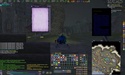 |
Is it possible the window was added to eq2ui_hud.xml instead of eq2ui_mainhud.xml or eq2ui_custom.xml where I have mine <include> ed?
|
I have tested it on a fresh install and everything works fine.
You can try press the Update All button. If that don't work i think you have to remove all traces of poifinder from mainhud.xml, every other file should be overwritten by the updater. |
Tso?
Does this mod still work (or is it still relevant) with the new TSO map changes? :)
|
None of the available plugins works, the changes to EQ2MAP were too fundamental.
|
There is no need for this anymore, you better uninstall it :)
|
Quote:
:nana: |
| All times are GMT -5. The time now is 11:32 AM. |
vBulletin® - Copyright ©2000 - 2026, Jelsoft Enterprises Ltd.
© MMOUI